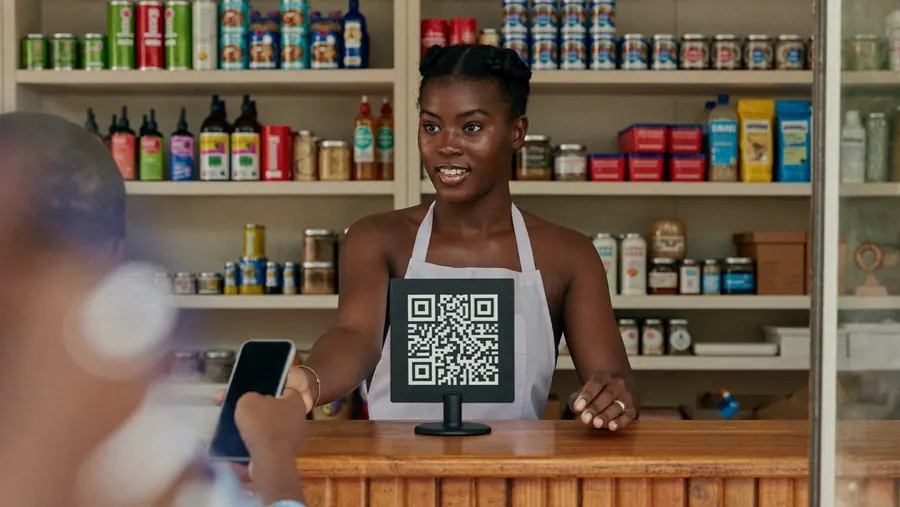
A shop owner behind her counter with a QR code stand

Get paid every way your customers pay.

  • QR

    A QR code for your counter.

  • Links

    Send a payment link on WhatsApp.

  • Online

    Checkout for your website or app.

Take mobile money, cards and QR payments in your shop or online by QR code, payment link or API. Your money reaches your account the same day.

Available in🇬🇭 Ghana🇱🇷 Liberia🇸🇱 Sierra Leone🇸🇹 São Tomé🇬🇲 The Gambia
Same daysettlement to your account
Instantpayment alerts in the app
3ways to accept
0hardware needed to start

Licensed by the Bank of Ghana · Same-day settlement

What you can do

Three ways to take payments, one settlement.

QR

A QR code for your counter.

Print your Sao QR and customers pay from any wallet. You see every payment in the app and get one settlement to your bank each day.

  • Works with Sao Wallet and other mobile money
  • No hardware needed
  • One settlement to your bank each day
Links

Send a payment link on WhatsApp.

Create a link for any amount and share it on WhatsApp or SMS. Customers pay with a wallet or card and you both get a receipt.

  • Any amount, any customer
  • Paid by wallet or card
  • Receipt by SMS
Online

Checkout for your website or app.

Add Sao Pay to your site with plugins for the common platforms, or use the API. Cards and mobile money in one checkout.

  • Plugins for common platforms
  • Cards and mobile money in one checkout
  • Developer portal and sandbox
A trader at a market stall taking a payment
From market stall to online shop

Start with a printed QR code today and add a payment link or online checkout when you are ready.

Who it is for

Built around your business, from one stall to many shops.

Sole traders, market sellers, restaurants, pharmacies and online shops use Sao Pay. If you have a business registration or a guarantor, you can open a merchant account.

Availability by countrySet for each country
  • 🇬🇭 GhanaLive · app
  • 🇱🇷 LiberiaLive · app
  • 🇸🇱 Sierra LeoneLive · app
  • 🇸🇹 São Tomé and PríncipeLive · app
  • 🇬🇲 The GambiaLive · app
A shop owner behind her counter with a QR code stand

How to get it

Start taking payments this week

  1. 1

    Open a merchant account

    Apply in the app or with a Sao agent. We verify your business in 2 business days.

  2. 2

    Print your QR code

    Download and print your QR, or order a counter stand.

  3. 3

    Get paid

    Customers pay, you see it instantly, and settlement lands the same day.

Your questions

Common questions about Sao Pay

Visit the help centre
How fast do I get my money?

You see each payment instantly in the app, and settlement reaches your bank account the same day.

Do I need a smartphone?

You do not need any hardware to start. Print your Sao QR code and customers pay from their own wallet. The Sao app shows you every payment as it arrives.

Can I take card payments?

Yes. Customers can pay by card through a payment link or your online checkout. For card payments at the counter, see Sao POS.

How do refunds work?

You start a refund from the Sao Pay app and the money goes back the way the customer paid.

Start taking payments with Sao Pay.

No hardware to start. Same-day settlement.

Join the Beta.

Sao Wallet is in beta. Install the test app on your phone and try it before launch. You can open your account with a phone number and a valid ID.

Android · Google PlayAndroid · Google PlayiPhone · TestFlightiPhone · TestFlightOn a computer? Scan the code for your phone.

Cookie settings

Reject and accept carry the same weight. You can change your choice at any time from the footer.

Read the cookie policy